AI-generated titles & captions
Turn your videos into editable titles, captions and descriptions. Review and refine the wording before it goes out.
 MM Studioby JR StudiosDownload MM Studio
MM Studio / Windows beta
Capture your screen and camera. Shape the shot with keyframes and effects, then cut highlights for your next post.
AI-assisted media management, SEO content and automated scheduling. Meet the companion to MM Editor.
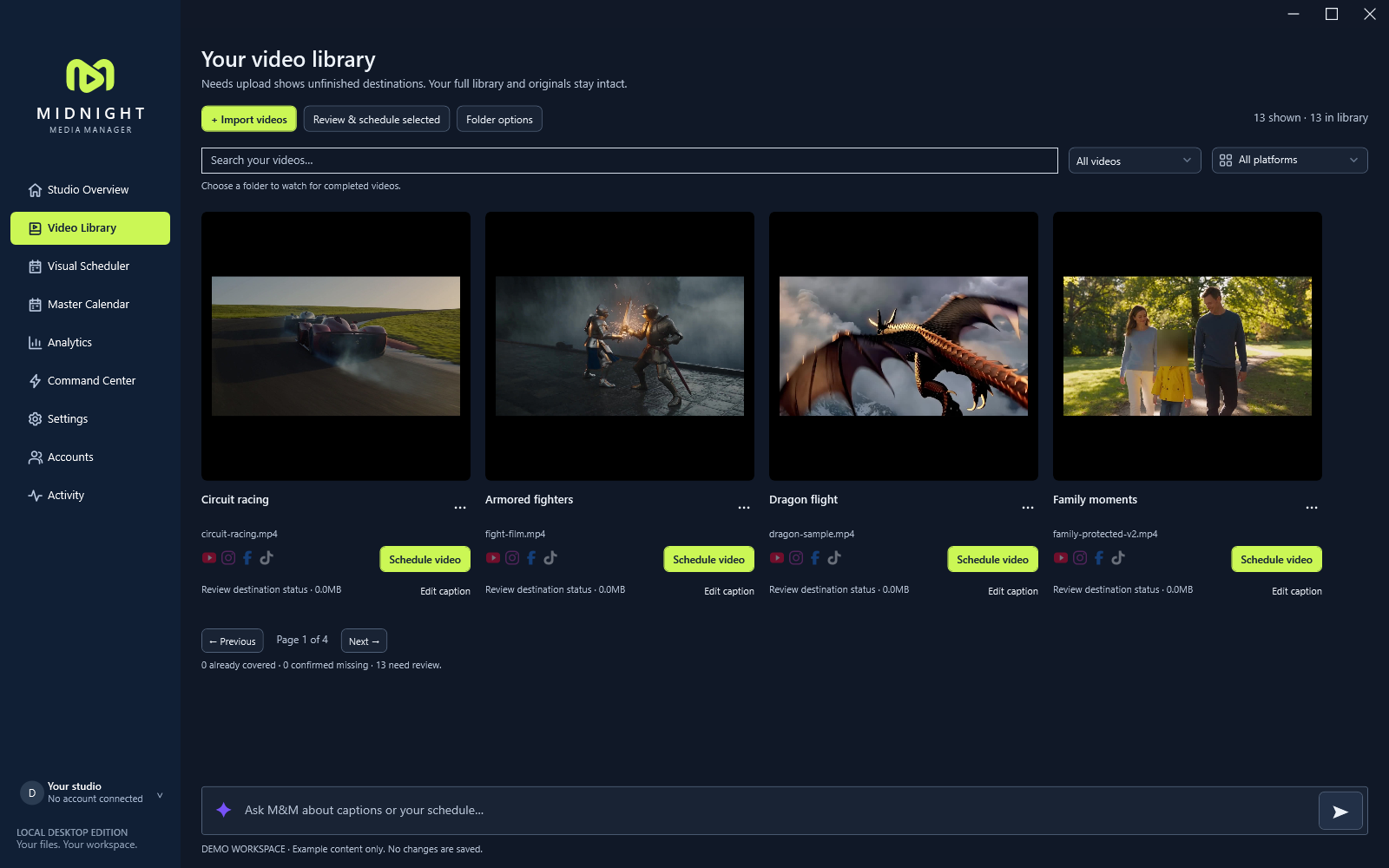
FROM FINISHED VIDEO TO PLANNED POST
Midnight Manager is your AI-assisted media manager. Generate titles, captions, descriptions and SEO tags for your videos, then bring your media, posting plans and connected channels together.
Use AI-directed schedule optimization to plan your releases, review the generated content and automate posting through supported connected platforms.
Turn your videos into editable titles, captions and descriptions. Review and refine the wording before it goes out.
Generate SEO-focused descriptions, keywords and tags to support your video’s discovery.
Optimize your video schedule with AI assistance, organize releases on the visual calendar and automate approved posts.
Automated posting requires a supported platform and connected account. Review AI-generated content and your schedule before enabling publication.
In Camera studio, select Phone and choose Connect phone. Approve the request, then tap Start camera on your phone. Use the Camera layer to position it in your scene.
ONE STUDIO. YOUR ENTIRE EDIT.
A place for your footage, your ideas, and all the details that make a video yours.
Record a source, compose your layers, and bring system audio, microphone and camera into the picture.
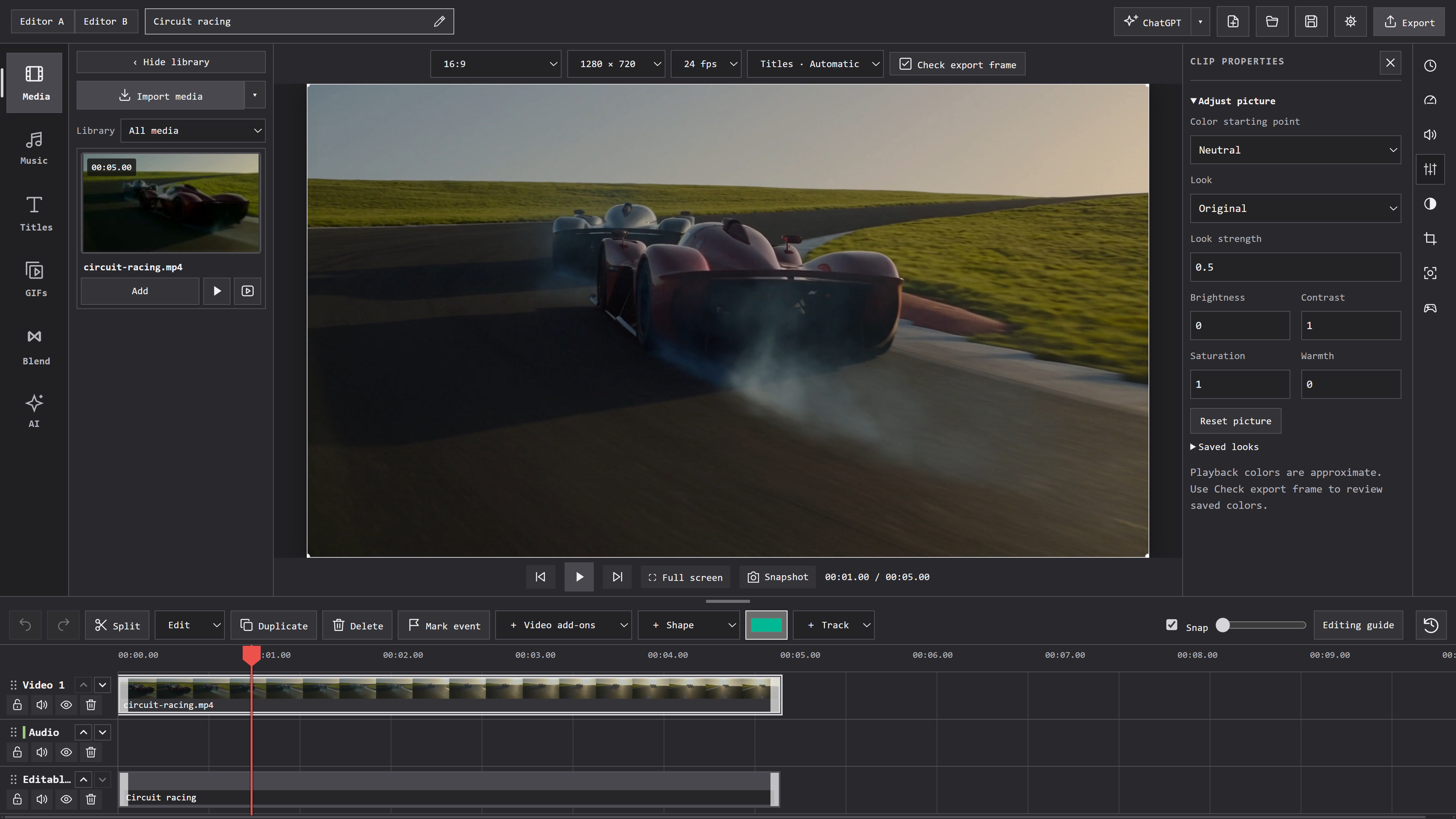
Arrange video, music, titles and GIFs on the timeline. Trim, crop, resize and build the sequence your story needs.
Adjust color and sound, apply a look, and choose your frame. Turn marked moments into clips ready for review and export.
AI MOTION TRACKING
Mark each target once. Give it a label, arrow, ring or GIF. Let AI follow it through your edit.
The GPT-connected workflow can inspect later frames and attempt recovery across cuts and interruptions. Review uncertain matches before finishing.
Recorded MM Editor tracks · Reviewed and corrected for this demonstration
ONE SUBJECT. THREE POSSIBILITIES.
The blur follows the child’s head while the parents stay visible.
Real MM Editor tracking data on fictional Runway footage. This player replays the recorded track; it does not run live AI.
Recorded tracking on fictional sample footage. No upload or account required.
Protected sample playing inside MM Editor. Actual app frames assembled into a playback preview.
Watch a label follow Dad, turn just him black and white, then place his cutout over the coast.
CREATIVE HELP, WHERE YOU NEED IT
Start with an editable draft. Refine it with your own choices.
Build local drafts or use the connected ChatGPT editing workflow. Keep shaping the result in your timeline.
Choose 9:16 before preparing clips. Review the moments you marked and export the ones you want.
Create with Seedance, Kling and Genjutsu. Prepare your source, add references and describe the result. Review the provider’s cost before generating.
4K UHDR Enhancement
One moment. Two looks.
Drag to play and compare.
WHAT’S NEXT
Browser editing is planned for this site. The web editor is not available yet.